Lyrics anyone on the rota can run
Import the setlist before Sunday and the slides are ready. On the day, whoever's on the rota just taps the next one on their phone.
I'm coming back to the heart of worship
And it's all about You
It's all about You, Jesus
 Band
I'm coming back to the heart of worship
And it's all about You
It's all about You, Jesus
King of endless worth
No one could express
Control it from your phone
Open the project on any phone and tap a slide to put it on the screen. The songs are already split into slides, so there's nothing to type or set up on the day. If the leader goes back to the chorus, tap the chorus.
- Nothing to install, it runs in the browser
- Clear or Black the screen with one tap
- Someone else can prepare it all from home
Import this week's setlist in one go
Your worship leader already planned the songs. Connect Planning Center, ChurchSuite or MyWorshipList and import the whole setlist, chords included. No retyping, no copy and paste.
- Songs already in your songbook can come in with your edits
- Or search for a single song and add it
- Or paste lyrics from anywhere
- 1 Come Thou Fount G
- 2 The Heart of Worship From your songbook D
- 3 Be Thou My Vision D
Paste a mess, get slides
Lyrics copied from a website come out as long run-on lines. Press AI Format and it breaks them into lines that fit the screen, groups them into slides by the song's own phrasing, and marks the verses and chorus. It never changes a word.
Often you won't need to paste at all. Type a song's name to search your songbook and an online library of worship songs, then pick it.
Prefer to do it yourself? Put a section name in brackets, and a dash starts a new slide. The preview updates as you type.
Chords for the band, following along
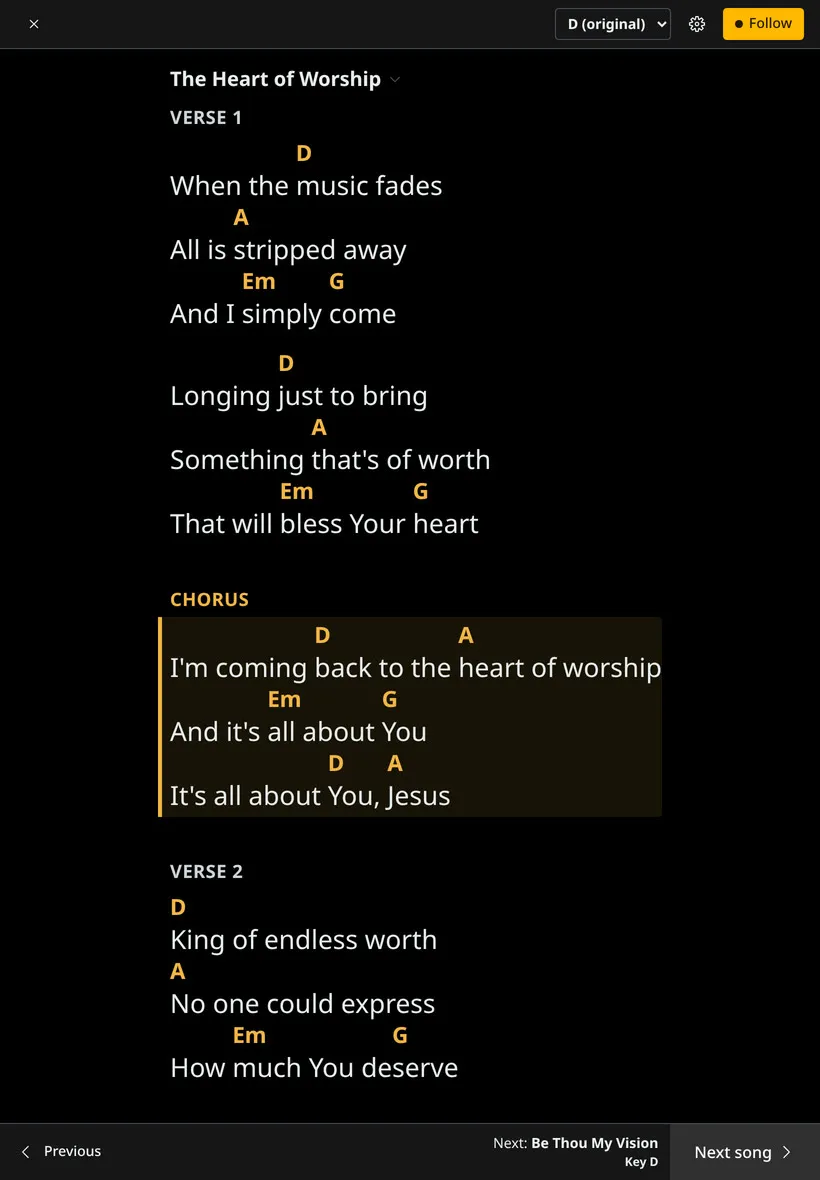
Put a tablet on the music stand and open Musician view. The chord chart highlights whatever is on the screen right now, so nobody loses their place when the leader jumps back to the chorus.
- Capo or a different singer? Change the key on your own device only
- See the next song and its key before you get there
- Fit the whole song on one screen, or scroll with it
- Turn chords off for the singers' lyric sheet
Type it once, every screen gets its version
The same slide goes to every screen in the look that suits it. Your background on the main screen, the live line and what's next on the stage display, and a lower third over the livestream.
- Motion video, image or colour backgrounds
- Give one song its own background or layout
- Show a whole song on one screen for a reflective moment
I'm coming back to the heart of worship
And it's all about You
It's all about You, Jesus
I'm coming back to the heart of worship
And it's all about You
It's all about You, Jesus
King of endless worth
No one could express

Sing it the way your church sings it
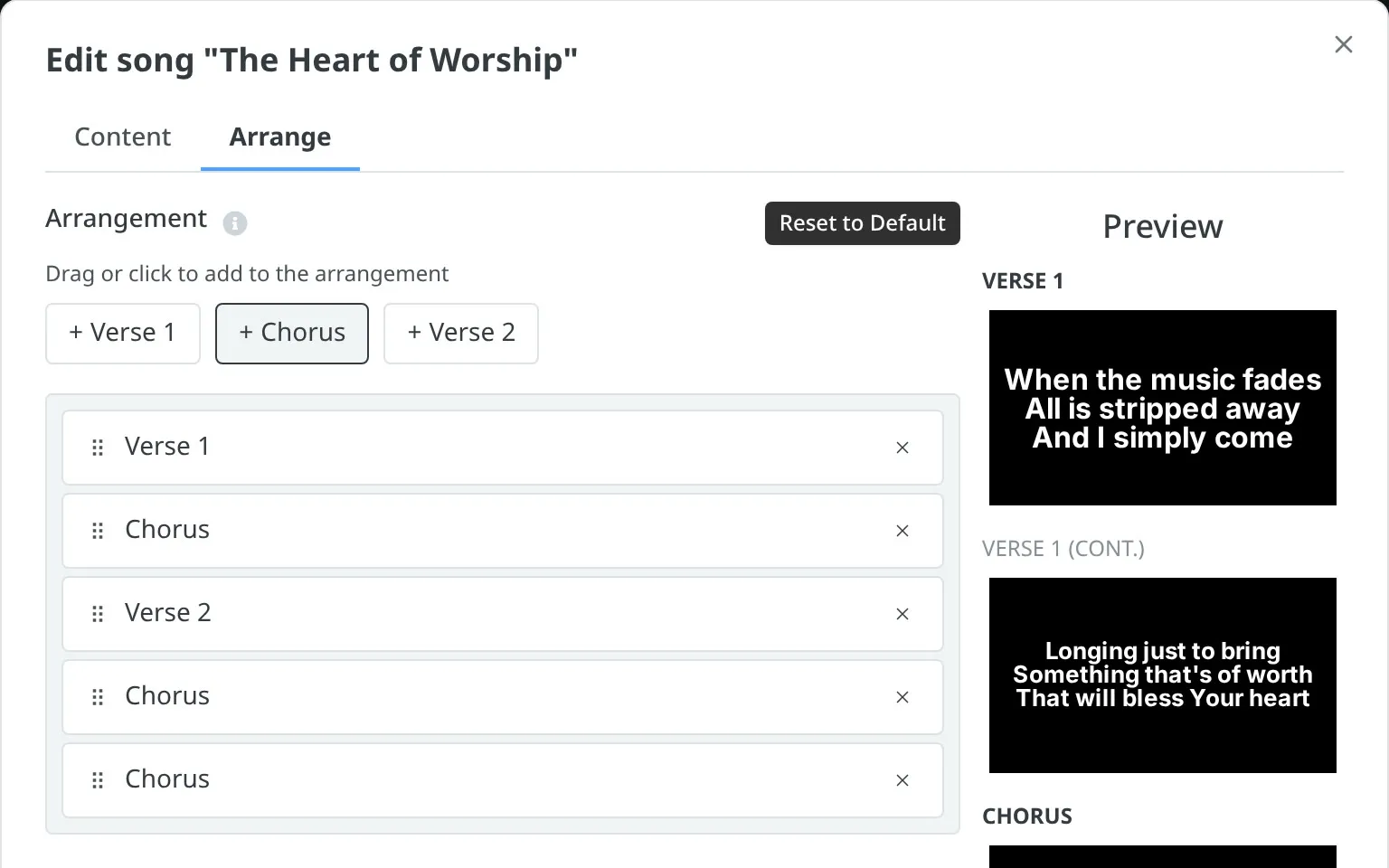
Set the order once: verse, chorus, verse, chorus, chorus. The slides follow it, so the operator just presses next. And when the leader repeats the chorus anyway, tap it and it's up.
Questions
Do chords show on the big screen? +
No. Chords are for the people on stage. The projected slides only ever show the words.
Can each musician use their own tablet? +
Yes. Open the project and press Musician view. Text size, key and dark mode are saved on that device, so the bassist's settings don't change the keys player's.
What chord format do I type? +
ChordPro, with chords in square brackets inside the line, like [G]Amazing [C]grace. Chords on their own line above the words work too: start that line with a dot.
Does it work with CCLI SongSelect? +
Not yet. There's no SongSelect import or CCLI reporting. Import from Planning Center, ChurchSuite or MyWorshipList, or paste the lyrics in.
Can I take my songs elsewhere? +
Yes. Export saves every song in the set as an OpenSong file.
Get this Sunday's songs up
Start free.
Import your setlist and hand the band a tablet. No card needed.